Real social-proof screenshots from WhatsApp: a script and a Claude Code prompt
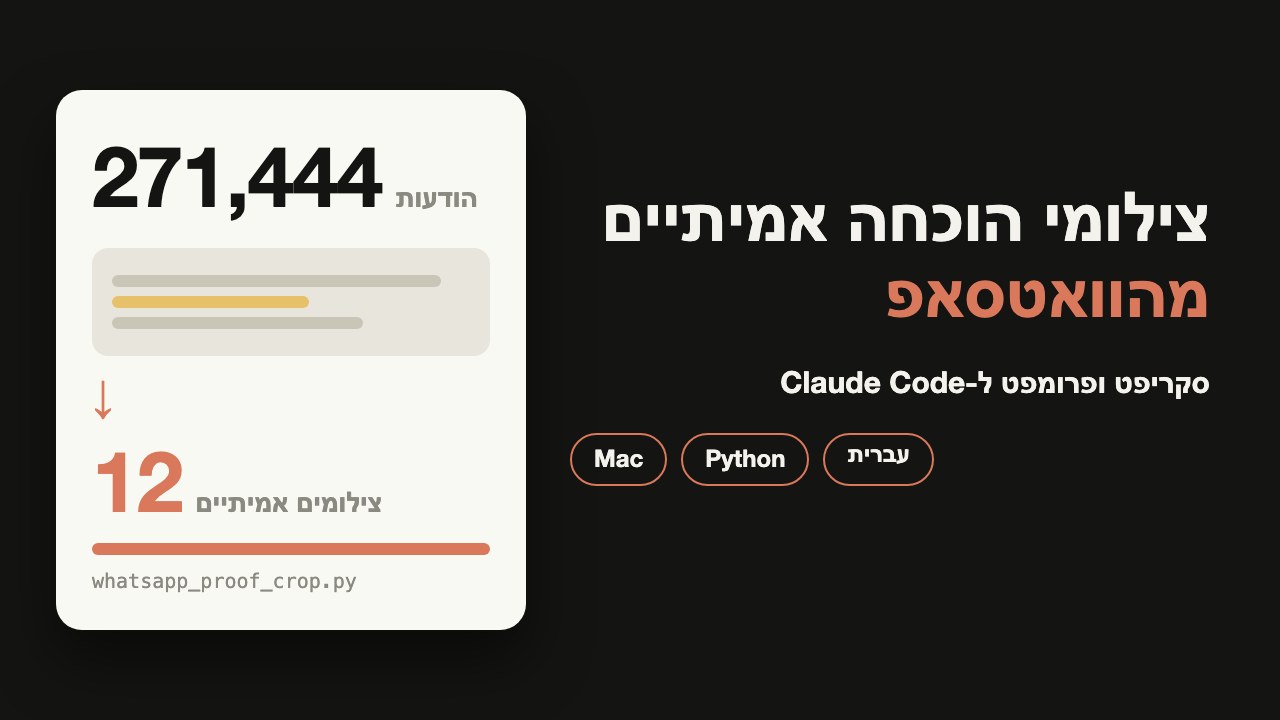
271,444 messages from my two numbers became 12 real screenshots of customers saying thanks. The whole process, the crop script to download, and a prompt to copy that runs it all.
What you get, and what you need
By the end you have two things: a short crop script to download, and a prompt to copy that runs the whole process.
What you need to follow along:
- A Mac. Both the WhatsApp Mac app and iPhone Mirroring run on it.
- An iPhone with the WhatsApp history. The messages are captured from there.
- Claude Code. It finds, checks and captures.
- Python. For the script, with two free packages that install in one command.
My run
These numbers are from my run on November 21, 2026:
- 271,444 messages from my two numbers, personal and business.
- 459 verified quotes from 98 chats, about 150 people. 14 of them came from voice messages.
- A score from 1 to 5 for each quote. 45 got a 5.
- 12 images ready to publish, from the strongest quotes.
Every image is a real screenshot from the phone, with the real time of the message. No mockups.
Contents
Pull the messages from both numbers
The personal number. The WhatsApp Mac app keeps its messages in a local database. Claude Code reads it read only, which means it cannot change anything in it. The file is here:
~/Library/Group Containers/group.net.whatsapp.WhatsApp.shared/ChatStorage.sqlite- Messages are in the table
ZWAMESSAGE. - Chats are in the table
ZWACHATSESSION. - Dates are stored as seconds since January 1, 2001. Add
978307200to get a normal Unix time. - Opening it read only is the
mode=rosuffix on the file address.
A query that returns every text message with its date and its chat:
SELECT
  datetime(m.ZMESSAGEDATE + 978307200, 'unixepoch', 'localtime') AS sent_at,
  c.ZPARTNERNAME AS chat,
  m.ZISFROMME AS from_me,
  m.ZTEXT AS text
FROM ZWAMESSAGE m
JOIN ZWACHATSESSION c ON c.Z_PK = m.ZCHATSESSION
WHERE m.ZTEXT IS NOT NULL
ORDER BY m.ZMESSAGEDATE;
Save it as query.sql and run:
sqlite3 -csv "file:$HOME/Library/Group Containers/group.net.whatsapp.WhatsApp.shared/ChatStorage.sqlite?mode=ro" < query.sql > messages.csvThe business number. Mine goes through a WhatsApp gateway called Evolution API, which my own server runs. It returns messages by chat. The details of the call are in their docs: docs.evolutionfoundation.com.br.
If you have one number, the first part is enough. Together, my two numbers gave 271,444 messages.
Find the thank-yous and verify every quote
Before you move on to capture, make sure you have permission to publish every name and every quote.
Capture a real screenshot from the phone
A typed quote is just text. A screenshot from the phone, with the real time of the message, is proof you can see.
screencapture -l <windowid> raw/01.pngThe raw capture stays as it is, and the cropping happens afterwards in the script. A message that spans two screens gets two captures, and the script stitches them.
The script that finishes the job
The raw capture holds the whole window: unrelated rows, a yellow highlight around the search word, and phone numbers. The script is one Python file, and it does four things:
- Crops to the rows and columns of the message.
- Removes the yellow highlight. It recolors by brightness, so no outline is left around the letters.
- Blurs rectangles you choose, for phone numbers and names.
- Stitches a message that spanned two screens into one image.
pip install -r requirements.txt--rows is the range of rows to keep, in pixels of the capture. Ask Claude Code to look at the capture and give you the numbers:python whatsapp_proof_crop.py raw.png --rows 100:400 --out proof.png--blur takes a rectangle inside the cropped image, as four numbers: left, top, right, bottom. You can repeat it:python whatsapp_proof_crop.py raw.png --rows 100:400 \
--blur 20,10,200,40 --out proof.png--rows per capture, in the same order. --keep-bottom leaves the bottom rows as captured, so the time does not change:python whatsapp_proof_crop.py top.png bottom.png \
--rows 200:600 --rows 100:500 \
--keep-bottom 50 --out proof.pngThe numbers in the examples are placeholders. The default columns are 30 to 620, and --cols changes them. The script is built for WhatsApp dark mode and for captures of the same size, such as the mirroring window. If your highlight color is different, --highlight takes it.
Here is the whole file, to read and copy:
#!/usr/bin/env python3
"""whatsapp_proof_crop.py - turn raw WhatsApp screenshots into clean social-proof images.

What it does, in this order:
  1. Crops each raw screenshot to the rows you give it (--rows) and the columns
     you give it (--cols).
  2. Stitches the crops top to bottom, so a message that took two screens ends
     up as one image.
  3. Removes the yellow highlight that WhatsApp's search leaves on the matched
     word. It recolors the highlighted pixels by brightness, so the text stays
     sharp and no outline is left behind.
  4. Blurs rectangles you list (--blur), for phone numbers and names.
  5. Optionally leaves a strip alone (--keep-bottom, --protect), for example the
     message time, which should stay exactly as captured.

It is made for the dark theme of WhatsApp, and for screenshots taken at the same
size, such as the iPhone Mirroring window. Coordinates are pixels of the
screenshot, the way an image viewer shows them (origin at the top left).

Usage:
  python whatsapp_proof_crop.py raw.png --rows 100:400 --out proof.png

  # one message that spans two screens: one --rows per image, same order
  python whatsapp_proof_crop.py top.png bottom.png --rows 200:600 --rows 100:500 \\
      --blur 20,10,200,40 --keep-bottom 50 --out proof.png

All numbers above are placeholders. Replace them with the pixel positions in
your own screenshots.

Requirements: Python 3.9+, Pillow, numpy (pip install -r requirements.txt)

Only the files you pass in are read. Nothing is uploaded and nothing is stored.
Always look at the result before you publish it.
"""

from __future__ import annotations

import argparse
import sys
from pathlib import Path
from typing import List, Tuple

import numpy as np
from PIL import Image, ImageFilter

# The dark-mode search highlight, as it looks in a screenshot (RGB).
DEFAULT_HIGHLIGHT = (151, 110, 56)
# Pure white is the brightest value a character can reach after recoloring.
WHITE = np.array([255.0, 255.0, 255.0])
# Brightness of the highlight color's text, and of the brightest text on it.
TEXT_LUMA_ON_HIGHLIGHT = 253.0

Rect = Tuple[int, int, int, int]


def parse_ints(text: str, count: int, label: str) -> List[int]:
    """Parse 'a,b,c' into exactly `count` integers, or exit with a clear message."""
    try:
        values = [int(part) for part in text.replace(":", ",").split(",")]
    except ValueError:
        sys.exit(f"{label}: expected {count} whole numbers, got {text!r}")
    if len(values) != count:
        sys.exit(f"{label}: expected {count} numbers, got {len(values)} in {text!r}")
    return values


def parse_range(text: str, label: str) -> Tuple[int, int]:
    a, b = parse_ints(text, 2, label)
    if a < 0 or b <= a:
        sys.exit(f"{label}: need 0 <= start < end, got {text!r}")
    return a, b


def parse_rect(text: str, label: str) -> Rect:
    x0, y0, x1, y1 = parse_ints(text, 4, label)
    if x1 <= x0 or y1 <= y0:
        sys.exit(f"{label}: need x0 < x1 and y0 < y1, got {text!r}")
    return x0, y0, x1, y1


def load_rgb(path: Path) -> np.ndarray:
    if not path.is_file():
        sys.exit(f"input not found: {path}")
    return np.asarray(Image.open(path).convert("RGB")).astype(float)


def find_background(img: np.ndarray, highlight_mask: np.ndarray) -> np.ndarray:
    """The most common dark gray outside the highlight is the chat background."""
    luma = img.mean(2)
    candidate = (luma > 45) & (luma < 75) & (np.ptp(img, 2) < 10) & ~highlight_mask
    if not candidate.any():
        sys.exit(
            "could not find the chat background color. Pass it with "
            "--background R,G,B (use a color picker on an empty part of the chat)."
        )
    values, counts = np.unique(img[candidate].astype(int), axis=0, return_counts=True)
    return values[counts.argmax()].astype(float)


def remove_highlight(
    img: np.ndarray,
    highlight: Tuple[int, int, int],
    tolerance: float,
    background: Tuple[int, int, int] | None,
) -> np.ndarray:
    """Recolor the search highlight to the chat background, keeping the text.

    A plain "replace this color" leaves a ring around every letter, because the
    edge pixels are a mix of highlight and text. So we grow the highlight area a
    little, then map each pixel's brightness onto the range between the
    background and white. Dark pixels become background, bright pixels become
    white text, and the in-between edge pixels land in between.
    """
    h = np.array(highlight, dtype=float)
    near = (np.linalg.norm(img.reshape(-1, 3) - h, axis=1) < tolerance).reshape(img.shape[:2])
    if near.sum() < 50:  # no highlight in this image
        return img
    grown = np.asarray(
        Image.fromarray((near * 255).astype(np.uint8)).filter(ImageFilter.MaxFilter(11))
    ) > 0
    luma = img.mean(2)
    bg = np.array(background, dtype=float) if background else find_background(img, grown)
    saturation = np.ptp(img, 2)
    recolor = grown & ((saturation > 6) | (luma < 90))
    t = np.clip((luma - h.mean()) / (TEXT_LUMA_ON_HIGHLIGHT - h.mean()), 0, 1)
    out = img.copy()
    out[recolor] = bg + t[recolor][:, None] * (WHITE - bg)
    return out


def build_parser() -> argparse.ArgumentParser:
    p = argparse.ArgumentParser(
        description="Crop, stitch, un-highlight and blur raw WhatsApp screenshots.",
        epilog="Example: python whatsapp_proof_crop.py raw.png --rows 650:842 --out proof.png",
    )
    p.add_argument("images", nargs="+", type=Path, help="raw screenshots, top part first")
    p.add_argument(
        "--rows", action="append", required=True, metavar="Y0:Y1",
        help="rows to keep from each image, one --rows per image, in the same order",
    )
    p.add_argument("--cols", default="30:620", metavar="X0:X1",
                   help="columns to keep, same for every image (default 30:620)")
    p.add_argument("--blur", action="append", default=[], metavar="X0,Y0,X1,Y1",
                   help="rectangle to blur, in the cropped image (repeatable)")
    p.add_argument("--protect", action="append", default=[], metavar="X0,Y0,X1,Y1",
                   help="rectangle to restore to the original pixels after highlight removal (repeatable)")
    p.add_argument("--keep-bottom", type=int, default=0, metavar="N",
                   help="leave the bottom N rows untouched by highlight removal, e.g. the time")
    p.add_argument("--blur-radius", type=float, default=9, help="blur strength (default 9)")
    p.add_argument("--highlight", default=",".join(map(str, DEFAULT_HIGHLIGHT)), metavar="R,G,B",
                   help="color of the search highlight (default %s)" % ",".join(map(str, DEFAULT_HIGHLIGHT)))
    p.add_argument("--tolerance", type=float, default=30, help="how far from --highlight still counts (default 30)")
    p.add_argument("--background", default=None, metavar="R,G,B",
                   help="chat background color; found automatically when omitted")
    p.add_argument("--no-unhighlight", action="store_true", help="skip highlight removal")
    p.add_argument("--out", type=Path, required=True, help="output PNG path")
    return p


def main(argv: List[str] | None = None) -> int:
    args = build_parser().parse_args(argv)
    if len(args.rows) != len(args.images):
        sys.exit(f"{len(args.images)} image(s) but {len(args.rows)} --rows: give one --rows per image")

    x0, x1 = parse_range(args.cols, "--cols")
    highlight = tuple(parse_ints(args.highlight, 3, "--highlight"))
    background = tuple(parse_ints(args.background, 3, "--background")) if args.background else None
    blur_rects = [parse_rect(r, "--blur") for r in args.blur]
    protect_rects = [parse_rect(r, "--protect") for r in args.protect]

    parts = []
    for path, rows in zip(args.images, args.rows):
        y0, y1 = parse_range(rows, "--rows")
        img = load_rgb(path)
        if y1 > img.shape[0] or x1 > img.shape[1]:
            sys.exit(f"{path.name} is {img.shape[1]}x{img.shape[0]}, smaller than the crop {x0}:{x1} x {y0}:{y1}")
        parts.append(img[y0:y1, x0:x1])
    stitched = np.vstack(parts)
    original = stitched.copy()

    if not args.no_unhighlight:
        limit = stitched.shape[0] - max(args.keep_bottom, 0)
        stitched[:limit] = remove_highlight(stitched[:limit], highlight, args.tolerance, background)
    for rx0, ry0, rx1, ry1 in protect_rects:
        stitched[ry0:ry1, rx0:rx1] = original[ry0:ry1, rx0:rx1]

    result = Image.fromarray(stitched.clip(0, 255).astype(np.uint8))
    for rect in blur_rects:
        region = result.crop(rect).filter(ImageFilter.GaussianBlur(args.blur_radius))
        result.paste(region, rect)

    args.out.parent.mkdir(parents=True, exist_ok=True)
    result.save(args.out)
    print(f"{args.out} {result.size[0]}x{result.size[1]}")
    return 0


if __name__ == "__main__":
    raise SystemExit(main())
How you know it worked. The script prints the image file name and its size, and the file appears in the folder. Open it and check that the message is whole, the time is in place and no yellow highlight is left.
If something does not work:
- The script says the capture is smaller than the crop. The range you gave goes past the size of the capture, so check the row numbers again.
- It cannot find the background color. Give it by hand with
--background, as R,G,B. - Yellow patches are left. Try raising
--tolerance, or give the exact color with--highlight.
Watch out for
- The phone disconnects from mirroring while you use it. If a capture comes out empty, check that the window is still connected.
- A popup can cover a capture. Check every capture before you move on, and capture again if needed.
- The history on the phone may not go back far. An old message may not be there, even if it is in the database.
- A naive color replacement leaves outlines. That is why the script recolors by brightness instead of swapping one color for another.
- Get permission before you publish. A client's name and their quote are theirs, not yours.
The prompt that runs it all
Paste the prompt into Claude Code, in an empty folder that also holds the script. It works in six steps and stops for your approval at the end of each.
I want to pull real social-proof screenshots out of my WhatsApp. Work in steps, and at the end of each step stop and show me what you have before going on.

Rules for every step:
- Read only. Do not write to the WhatsApp database, send messages or delete anything.
- Nothing is sent to anyone or published. Everything stays in this project folder.
- A quote goes on the list only after you have checked it word for word against the original message.

Step 1, pull the messages:
Read the WhatsApp database on this Mac, the file ~/Library/Group Containers/group.net.whatsapp.WhatsApp.shared/ChatStorage.sqlite, opened read only (mode=ro). The tables are ZWAMESSAGE and ZWACHATSESSION. Dates are stored as seconds since 2001, so add 978307200 to get a normal time. Save the messages to a file and tell me how many there are. If I have a second number behind a WhatsApp gateway, ask me how to connect to it, and never print keys.

Step 2, find the thank-yous:
Find messages where someone thanks me or describes a result they got. Transcribe voice messages, and mark which quotes came from a recording.

Step 3, check and score:
Check each quote word for word against the original message. A quote that differs by even one word comes off the list. Give each quote a date, a chat name, a topic and a score from 1 to 5. Show me the strongest ones, and pick 12.

Step 4, approval:
Show me the 12 and stop. I approve only quotes I have permission to publish, and names and identifying details get blurred.

Step 5, real screenshots:
I turn on iPhone Mirroring on this Mac. For each approved quote, search for the message in WhatsApp on the phone and capture the mirroring window with screencapture -l <windowid> into a folder called raw. The real time of the message must stay visible. If a message is long and spans two screens, capture both. After each capture, check that no popup covers it and that the phone is still connected to the mirroring.

Step 6, finishing:
Run whatsapp_proof_crop.py on each capture. Crop to the message rows, remove the yellow search highlight, blur phone numbers and stitch a message that spans two screens. Save the results in a separate folder, show me every image and wait for my approval.
The messages it reads pass through the model. Chats that should not leave your computer should be excluded from the query before you run it.
docs.evolutionfoundation.com.br, checked November 21, 2026. The numbers and the run are mine, from November 21, 2026. I tested the script on four raw captures from the run, and the images it produced are identical to the finished ones.