remove.bg is closing: remove image backgrounds for free, on your own computer
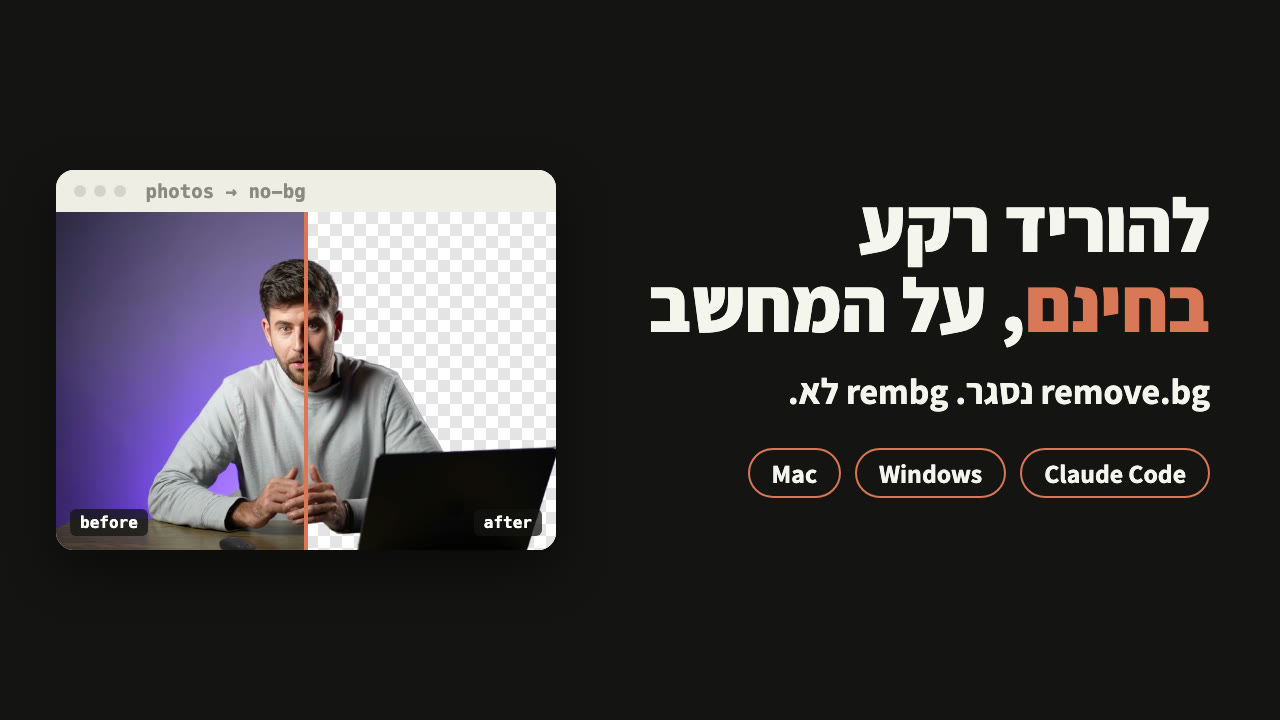
remove.bg closes on 1 December. rembg is free, open-source software that removes backgrounds on your own computer. The exact sentence I gave Claude Code, the command it ran, and the one model a business cannot use without a licence.
Why now
remove.bg closes on 1 December 2026 at 9:00am Central European Time. Background removal is moving to Canva.
On Canva's free plan you get a limited number of high-resolution downloads. Unlimited downloads need a paid plan. That is what their own FAQ says.
What rembg is
Software that removes backgrounds from images. Instead of uploading a photo to a website, it runs on your computer.
- Free. Open source under the MIT licence, with more than 25 thousand stars on GitHub.
- On your computer. The background removal runs on your machine, and your photos are not uploaded to any website.
- A whole folder at once. Give it a folder of photos, get back a folder of photos without backgrounds.
There are two ways: ask Claude Code in one sentence, or run one command yourself. Both need one small tool, uv.
Contents
Install uv
uv fetches rembg and runs it, so you never install Python yourself. You install uv once, with one line from its own site.
Cmd+Space, type Terminal, press Enter, and paste:curl -LsSf https://astral.sh/uv/install.sh | shpowershell -ExecutionPolicy ByPass -c "irm https://astral.sh/uv/install.ps1 | iex"Close the terminal and open it again. Check with uv --version: if it prints a version number, it works.
With Claude Code: the exact sentence
No Claude Code yet? Installation step by step in the starter guide. No subscription? Skip to the next part: the command does the same job.
cd ~/DesktopOn Windows, paste:
cd ([Environment]::GetFolderPath("Desktop"))claude and paste this sentence:Remove the background from every image in the photos folder. Use rembg with the birefnet-general model, which is allowed for commercial use, and save the results in a new folder called no-bg.I gave it this sentence in Hebrew; this is the English version. Your folder has a different name? Replace photos with it.
What it did on my machine: it saw rembg was not installed and uv was, ran the command from the next part, and at the end checked that every image came out with a transparent background. It asks you before running a command: approve it.
Note: to check the result, it opened one image, so that image went to Claude. Want no image to leave your computer? The command in the next part does the same job without that.
Without Claude Code: one command
This is the command Claude Code ran on my machine. Open a terminal and go to the Desktop, as in step 2 above, and paste:
uv tool run --python 3.12 --from "rembg[cpu,cli]" rembg p -m birefnet-general photos no-bguv tool run: runs rembg without installing it for good. Nothing stays installed afterwards.rembg p: goes through every image in the folder.-m birefnet-general: the model that removes the background. Why this one, in the next part.photos no-bg: where to read from, and where to save. It creates no-bg itself.
According to the uv and rembg READMEs, it is the same command on Windows. I only ran it on a Mac.
The business trap
rembg has several models. Without -m, it uses the default, bria-rmbg. According to rembg's README, that model is under a BRIA licence that requires a paid agreement for commercial use.
So always pass -m birefnet-general. It is MIT licensed and fine for business use. That is also why the sentence for Claude Code names the model.
What to expect
- The first time, the model downloads, about one gigabyte. That takes a few minutes, depending on your connection. Next time it is already on your computer.
- On my machine: 8 photos on a MacBook Pro M5 Max, two minutes for the whole job, including the model download. Under 4 seconds per photo.
- The result is a transparent PNG, with the same name as the original photo.
- Objects close to you may stay. The laptop on my desk stayed in every photo, because the model treated it as part of the foreground subject.
A white background instead of transparent
Need a solid background, for a product photo for example? Add -bgc and four numbers: red, green, blue and opacity, each from 0 to 255. With white, which I tested on one photo:
uv tool run --python 3.12 --from "rembg[cpu,cli]" rembg p -m birefnet-general -bgc 255 255 255 255 photos no-bgBlack is 0 0 0 255. With Claude Code you can ask for it in the same sentence: "with a white background".
remove.bg/faq, canva.com/features/background-remover, github.com/danielgatis/rembg (MIT licence), github.com/ZhengPeng7/BiRefNet (MIT licence), github.com/astral-sh/uv, read on 22 November 2026. My run: Claude Code with rembg and birefnet-general on a MacBook Pro M5 Max, 8 photos, 22 November 2026.