Two lines that stop Claude Code from writing outside your project
When Claude Code works without asking, it can write to any file on your computer. Two settings lines close that: one for file tools, one for commands. Where they go, and a one-minute test that proves they work.
Why you need this
When Claude Code works without asking you (bypass mode, or when you approve everything), nothing stops it before it writes a file. And it is not limited to the project folder: it can write anywhere on your computer that you can.
I tested it in a demo folder: I asked it to write a file outside the project, and it just wrote it. No question.
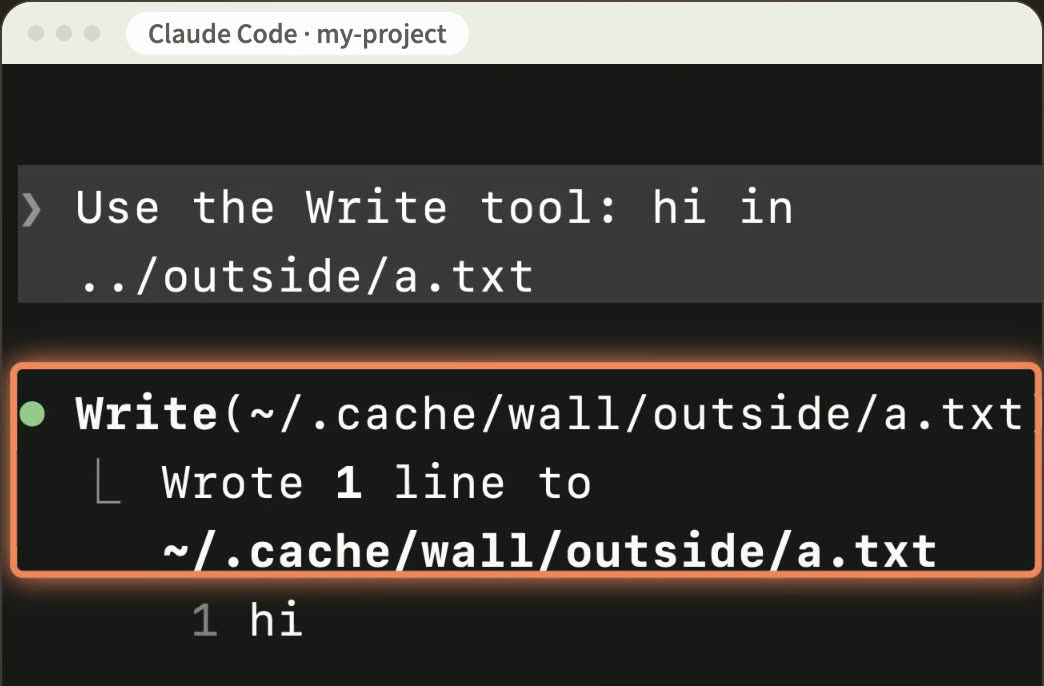
This is how it happens by mistake: one wrong path or one wrong command, and the file lands outside the project. If an important file of yours was already there, it is overwritten.
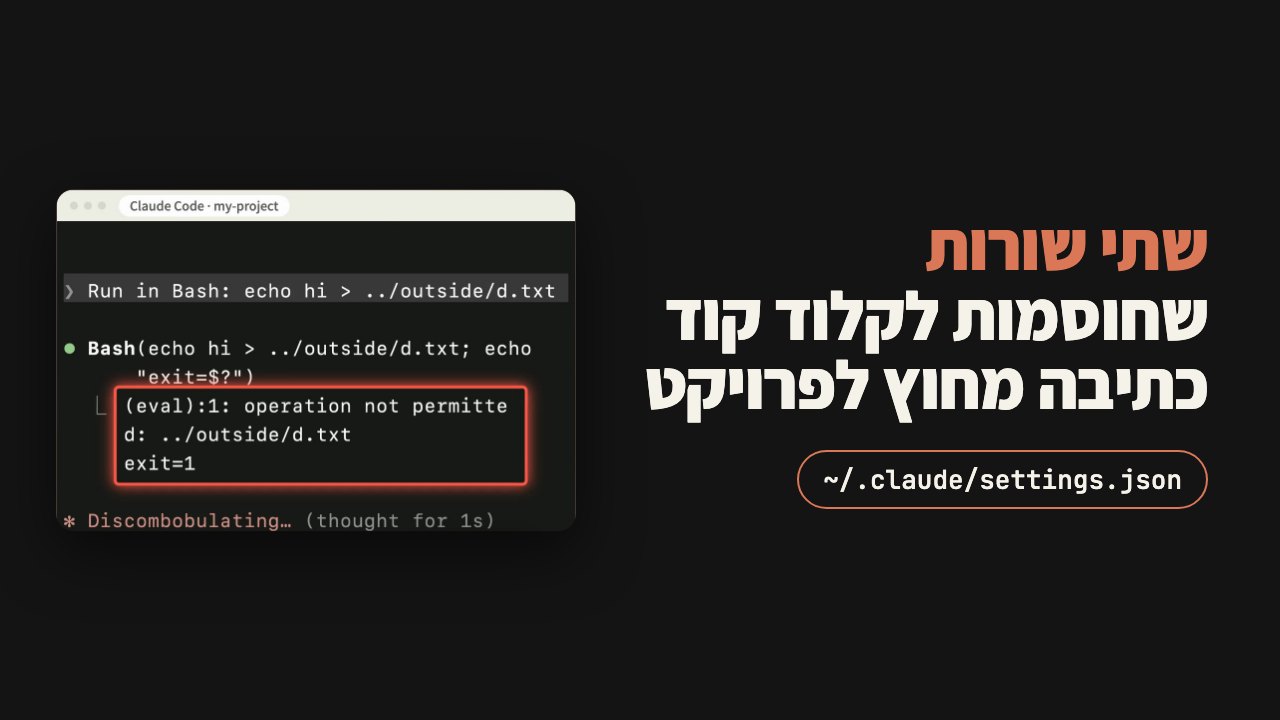
Contents
Line one: blocks file writes
Open Claude Code's settings file:
- For every project:
~/.claude/settings.json - For one project:
.claude/settings.jsoninside the project
Open it in any text editor. If the file does not exist, create a new file with exactly that name, paste the block from section 5 as is, and skip to the test in section 6.
If the file already exists, add the line inside the braces of "permissions":
"blockWritesOutsideWorkingDirectories": trueIf you already have a "permissions" object (with "defaultMode", for example), add the line inside it. Do not open a second "permissions": a duplicate key overrides the first, and one of your settings silently disappears.
What it does: Claude Code cannot create or change a file outside the folder you opened it in (and the folders you added, section 7). That holds in every permission mode, even when it works without asking. The exception: some of Claude Code's own files.
What it looks like when it works: I asked for the same file outside again and got an error: the file is outside the project, and the setting blocks writes outside.
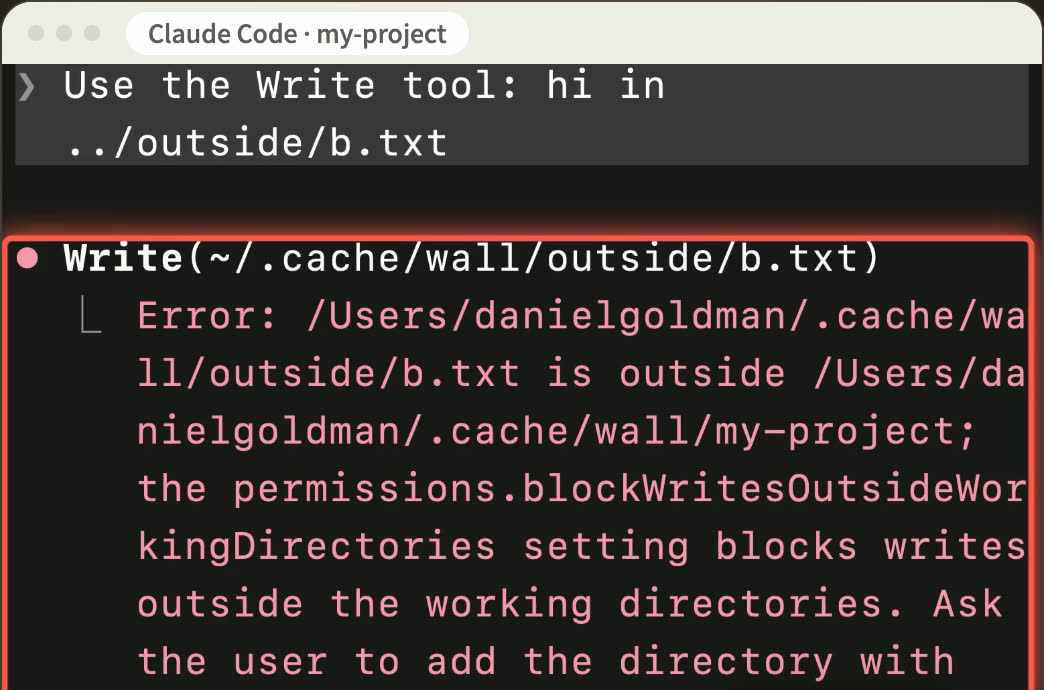
Needs version 2.1.314 or later. Tested on 2.1.330.
The hole: commands
Line one only blocks the file tools. It does not block commands.
I tested it: with line one alone, I asked it to write the file through a command (echo hi > ../outside/c.txt). The command ran, and the file was written outside the project.
Line two: closes commands too
In the same file, outside the braces of "permissions", add a line of its own. It needs a comma after the closing brace of "permissions". Exactly where: see the block in section 5.
"sandbox": { "enabled": true, "allowUnsandboxedCommands": false }"enabled": true runs every Claude Code command inside a sandbox that limits where it can write: the working directory, a temp folder, and folders you added.
"allowUnsandboxedCommands": false stops it from re-running a blocked command outside the sandbox. Without it, the second door is only half closed.
If you already have a "sandbox" object, add both keys inside it.
By computer:
- Mac: works with nothing to install.
- Linux or WSL2: install
bubblewrapandsocatfirst. - Windows without WSL2: there is no sandbox there, and commands run without this protection. To get it, run Claude Code inside WSL2.
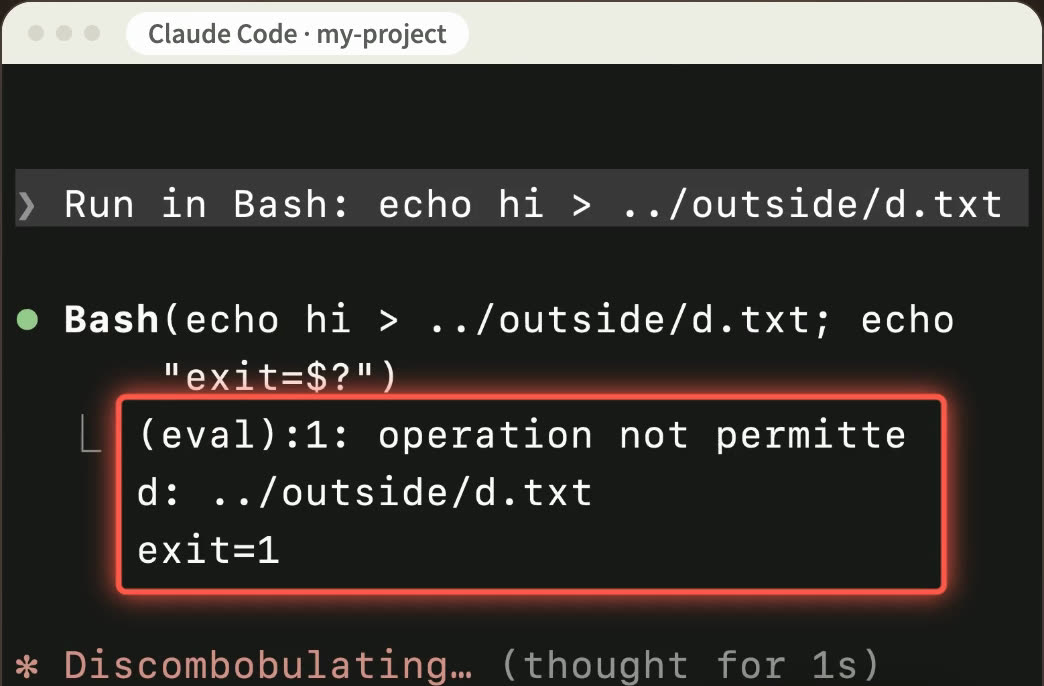
What it looks like when it works: the exact same command failed with operation not permitted, and no file was created.
The full file
This is ~/.claude/settings.json with both lines and nothing else:
{
  "permissions": {
    "blockWritesOutsideWorkingDirectories": true
  },
  "sandbox": { "enabled": true, "allowUnsandboxedCommands": false }
}
If your file already has settings, do not paste the whole block: add the two lines where they belong.
A one-minute test
The test also proves the settings were picked up. Open a new Claude Code session in the project and ask for two things:
Use the Write tool: hi in ../test.txtRun in Bash: echo hi > ../test.txtoperation not permitted.If either one succeeds and the file is created:
- The first succeeded: line one was not picked up. Check that it sits inside the braces of
"permissions", that there is only one"permissions", and that your version is 2.1.314 or later (claude --version). - The second succeeded: either line two was not picked up, or the sandbox did not start at all. Run
/sandboxinside Claude Code. If it shows only a Dependencies tab, something is missing (on Linux or WSL2). On Windows without WSL2 it will not work, see section 4.
Delete ../test.txt afterwards if it was created.
Need one folder outside?
For example, when Claude Code also needs to update a neighbouring project. Open only that one, and the block stays on everything else:
- For this session only:
/add-dirwith the path - For this launch only:
claude --add-dir <path> - Every time:
"additionalDirectories"inside"permissions"
If after line two a command fails because it writes to its own folder outside the project (npm or kubectl, for example), add that folder to sandbox.filesystem.allowWrite.
What this does not cover
- MCP connections and programs that hooks run do not go through this block. If you connected a tool like that which writes files, it can still write outside.
- Some of Claude Code's own files stay writable. These are not your files.
- Reading: it can still read files outside. If you keep sensitive things there, there is a separate key:
blockReadsOutsideWorkingDirectories. - Advanced: while the block is on, the EnterWorktree tool is disabled. If you work with worktrees, expect that.
Every test on this page ran on my machine on Claude Code 2.1.330, in a demo folder, in bypass mode.