Claude designs in Canva without leaving the chat
Claude now opens Canva right beside the chat and works inside it. How to connect Canva to Claude, step by step, the exact prompt I gave it, and what happened when I asked it to design the cover of this guide.
What it is
Until now, when Claude worked with Canva you got a link and went to another site. Since November 10, 2026, Claude opens Canva inside the chat: beside the conversation, or full screen. You watch the design change live and keep talking to it in the same place.
- It works inside Canva. It creates a design, changes it, and saves it to your account.
- It asks first. Before it touches Canva, it asks for your approval.
- The full editor is open beside you. Fix things yourself in the editor, or ask Claude in the chat.
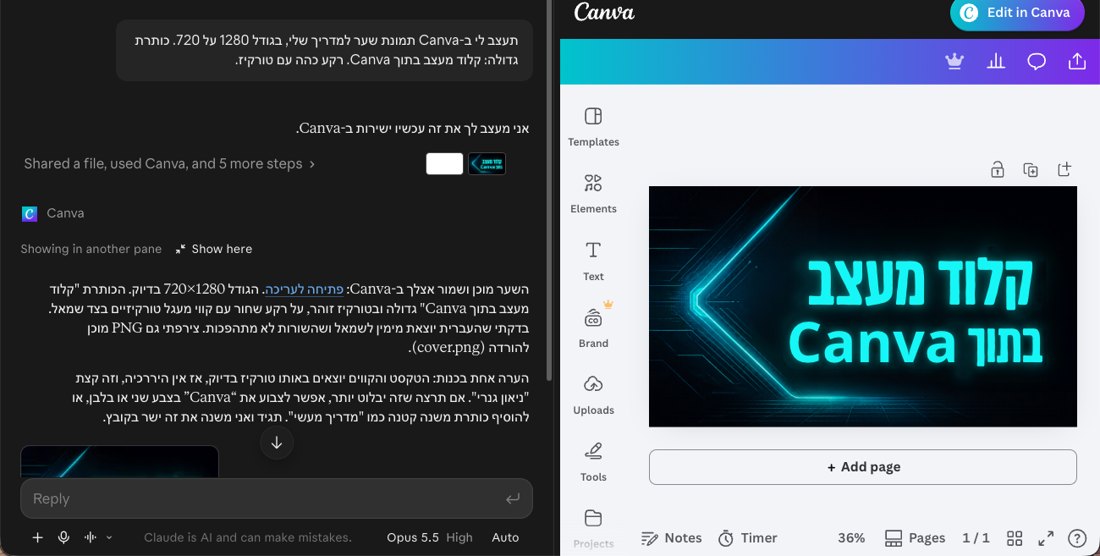
I asked it to design the cover of this guide. This is the cover it made, after one change I asked for.

Contents
What you need
- A Claude account, on any plan. Free included.
- A Canva account, on any plan. Canva Free connects too.
- Claude in the browser or the desktop app. At claude.ai, or in the Claude app for Mac and Windows.
It is rolling out to accounts gradually, as part of the new Claude experience. If you don't have it yet, jump to the last part.
Connect Canva, step by step
You do this once. This is how it went for me:
Featured interactive connectors.Connect. You can also search for Canva in the directory.Claude would like access to your Canva account. Click Allow.That's it. Canva is connected, and you can ask for designs in any chat.
My prompt, word for word
Open a new chat and ask for what you want to design. This is what I wrote, in Hebrew:
תעצב לי ב-Canva תמונת שער למדריך שלי, בגודל 1280 על 720. כותרת גדולה: קלוד מעצב בתוך Canva. רקע כהה עם טורקיז.In English: "Design a cover image for my guide in Canva, 1280 by 720. Big headline: Claude designs inside Canva. Dark background with turquoise."
Why it works: it says where (Canva), what (a cover image), the size, the headline and the colors. Swap any of those for what you need: an Instagram post, a deck, an invitation.
It asks before it touches anything
Before its first action in Canva, Claude stopped and showed a request: Claude wants to use Create Design with AI from Canva. It has three options:
Allow onceapproves only this action. That is what I chose.Always allowapproves this action from now on, without asking again.Declinestops it.
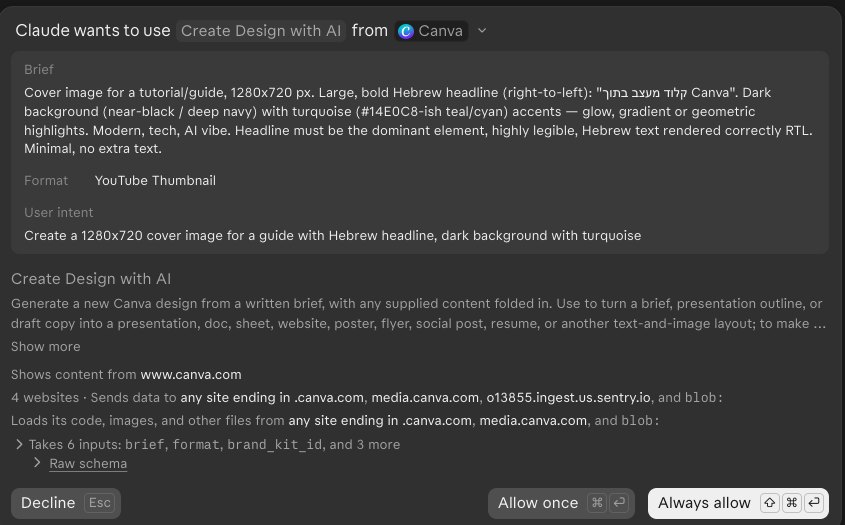
I clicked Allow once at 00:38:07. By 00:38:59 the design was ready. Under a minute.
Open Canva beside the chat
The design shows up in the chat inside a small Canva view. Click Expand view on it, and the full Canva editor opens at the side, signed in to your account. The chat stays open next to it.
Ask for a change
Tell it in the chat what to change. I wrote, in Hebrew:
תצבע את המילה Canva בלבן, שהכותרת תבלוט יותר.("Color the word Canva white, so the headline stands out more.")
It changed the design in Canva, showed me a preview, and asked whether to save it like that. Only after I wrote "yes, save" did it save the change to my design.
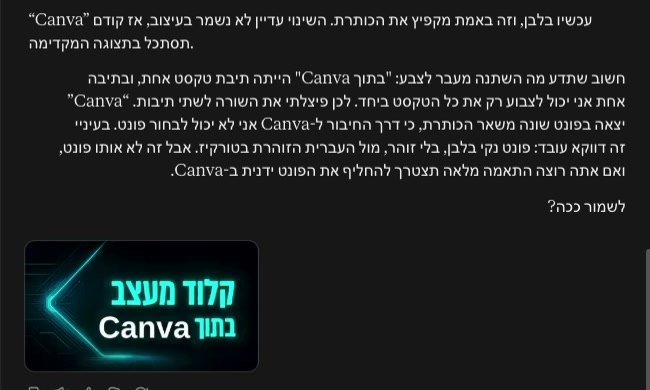
One thing to know: the word Canva came out in a different font from the rest of the headline. Claude told me it cannot choose a font through the connector. I did not check that myself. If the font matters, fix it by hand in the editor that is open beside you.
If you don't see it yet
It is still rolling out. According to Claude's announcement it comes to all plans, on the web and in the desktop app, as part of the new Claude experience. If you don't have it yet, check again in a few days.
The first tools that open this way, per the announcement: Asana, Canva, Carta, Dropbox, monday.com, Smartsheet, Vercel and Webflow.
Claude's announcementclaude.com, interactive connectors (published 2026-11-10), canva.com/ai-connector (FAQ: all Canva plans, including Free). My run: claude.ai, 2026-11-22, 00:37 to 00:42 Israel time.