Claude Code cheat sheet
Slash commands, keyboard shortcuts, permission modes and the agent commands of Claude Code on one printable page, current as of September 2026.
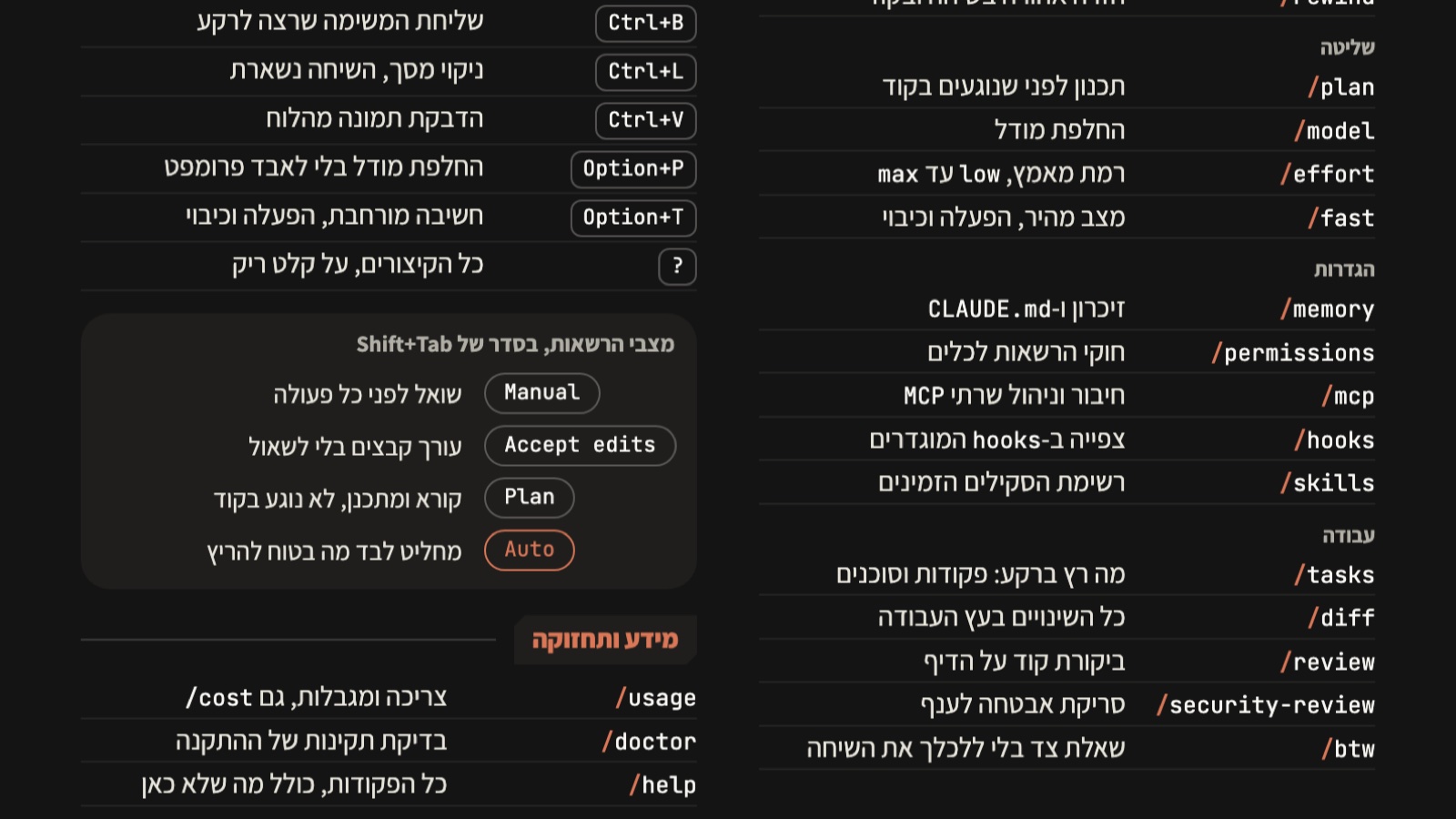
What you get
One A4 page with 50 commands and shortcuts, a PDF for print and a PNG for your phone
Who it is for
For anyone who works with Claude Code every day and wants to stop digging through the docs mid-task.
1. Download: one page, ready to print
The sheet collects 50 Claude Code commands and shortcuts in four parts: in-session commands, keyboard shortcuts, permission modes, and agents and autonomy. Current for version 2.1 and the official docs as of September 2026.
- Prints on A4, portrait, dark background.
- Command on one side, what it does on the other. One line per command.
2. Image version for your phone
The same page as a double-resolution image, for your gallery or lock screen.
Open the sheet as an image3. The six commands I use every day
Most people talk to Claude Code like a chat window. These six make it work on its own.
- /goal: one finish condition, and it keeps working until it holds. No more typing "continue".
- use a workflow: one phrase in the prompt, and it builds a team of agents and runs them in parallel.
- /loop: the same prompt runs again and again, every few minutes.
- /schedule: a routine that runs in the cloud on a schedule, even with the laptop closed.
- /context: what is eating the context, before the run dies halfway.
- /effort ultracode: it decides on its own when a task deserves a team of agents.
4. The combination I like most: goal, team, loop
Set a finish condition, let every step run as a workflow with a team of agents, and have a loop check every few minutes that the goal still holds. Three lines, ready to copy:
/goal all tests pass and the PR is open
use a workflow to fix every failing test, one file per agent, and verify each fix before reporting
/loop 10m run the test suite and fix anything that regressed5. How the sheet stays current
- The commands change almost weekly. /help inside the session always knows more than the sheet.
- A new version ships once enough changes pile up. Missing a command? Send me a message.
How to use this now
Print it, keep it next to the keyboard, and the next time Claude Code stops halfway, the command is already there.